Introduction
In a world where communication is constantly evolving, Google Messages is stepping up its game with a series of innovative features that enhance user experience. The latest updates are not just about aesthetics; they focus on functionality that prioritizes user needs, making Google Messages one of the standout messaging apps available. Let’s delve into the new features that are transforming the way we chat.
Return of the Essential Edit History Feature
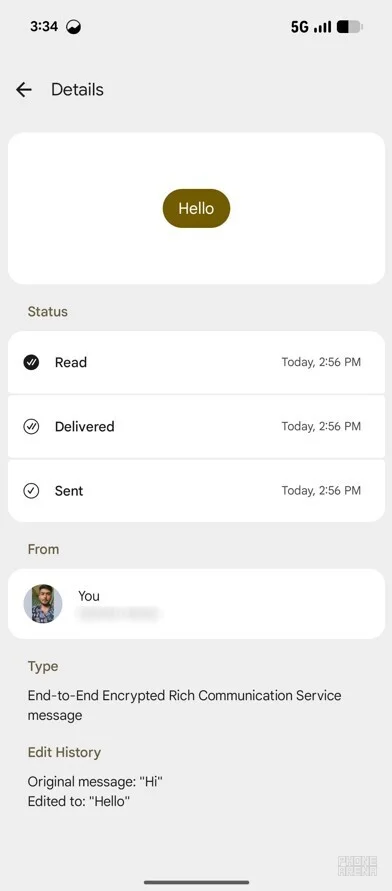
Initially removed in July 2025 during the rollout of the M3 expressive design, the ability to view edit history in Google Messages is making a comeback. In the latest app version 20260206_00_RC00, users can easily check the edit history of messages by tapping and holding a message, selecting the three-dot icon, and choosing "View details." This feature promotes transparency by allowing users to see both the original and edited versions of messages.
Simplified Group Creation
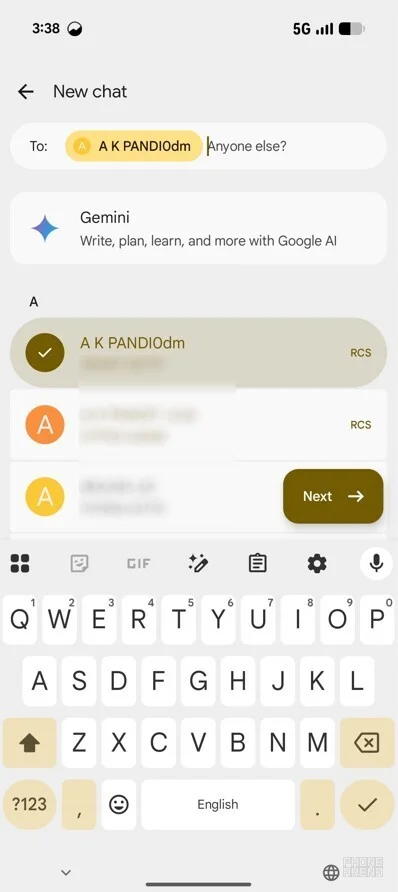
The process of creating group chats in Google Messages has been streamlined for convenience. Users can now initiate a group by clicking the New Chat button, selecting a contact, and then easily adding more members by responding to the prompt "Anyone else?" This simplification makes organizing group conversations significantly more efficient.
Real-Time Location Sharing
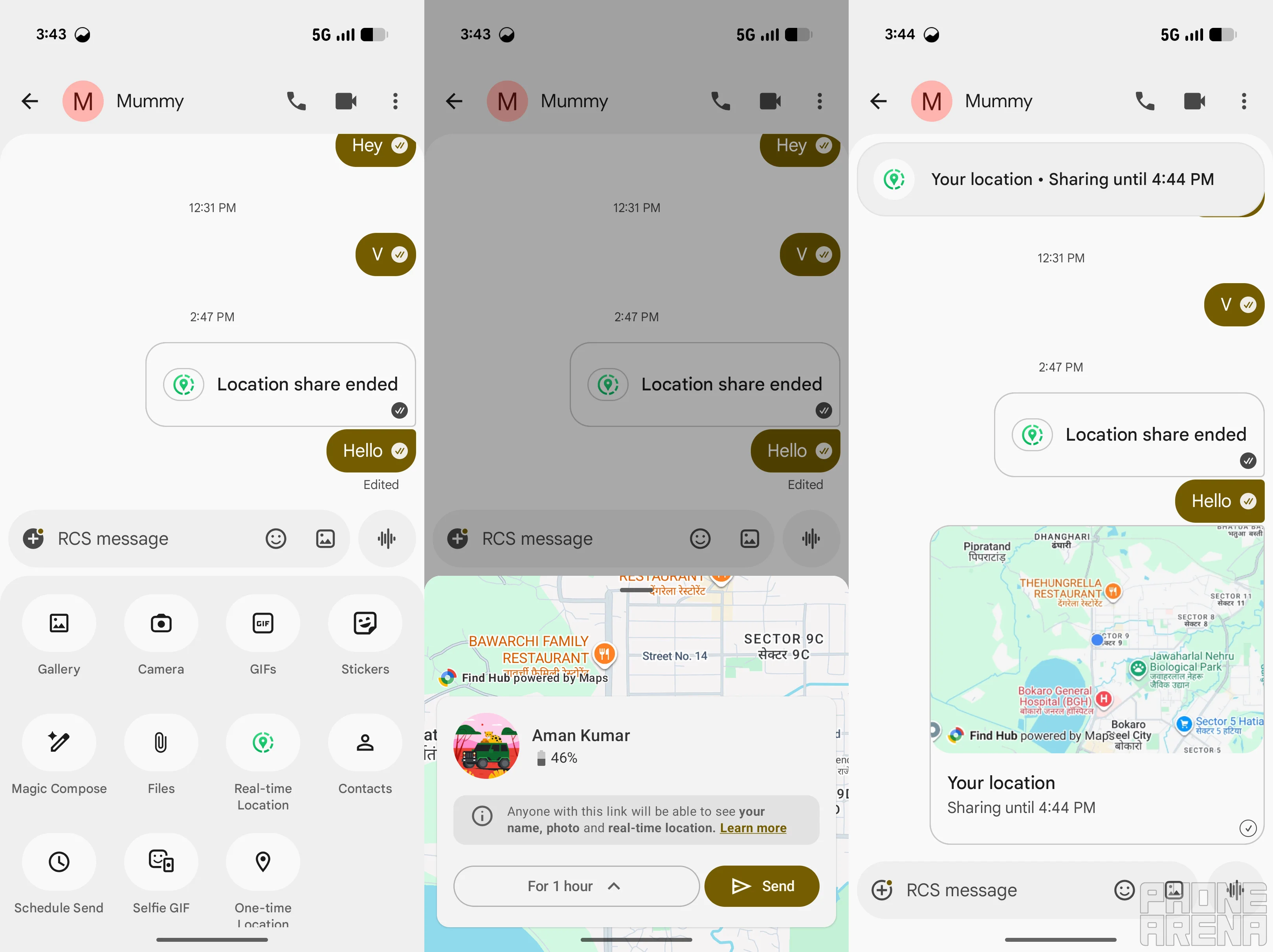
Google Messages is introducing real-time location sharing to enhance connectivity. Users can activate this feature by tapping the plus icon in the message field, selecting Real-time Location, and determining how long the recipient can view their live location. This feature provides greater accuracy and eliminates the limitations of static location sharing.
Improved Text Copying Functionality
Previously, tapping and holding a message only allowed users to copy the entire text. However, Google is developing a new highlighting method that will let users select specific portions of text, akin to the functionality available in Apple Messages. This enhancement will make it easier to extract essential information, such as one-time passwords or important phone numbers.
Conclusion: The Evolving Landscape of Google Messages
As a recent user transition from iPhone to Pixel, I have come to appreciate the unique features of Google Messages. The regular updates and the thoughtful introduction of new functionalities position it as one of the top messaging apps on Android. With its focus on user experience and innovative features, Google Messages is making strides to ensure it meets the evolving demands of modern communication.


