Google has developed two distinct weather experiences for Android users. Pixel owners can download the dedicated Weather app, exclusively available on the Google Play Store, while other Android users access weather information through the Google app, where a charming cartoon frog named “Froggy” has become a beloved feature. Notably, Froggy does not appear in the Pixel-only Weather app.
Setting Up a Shortcut to the Google Weather App with Froggy
To get quick access to the Google Weather app that includes Froggy, open the Google app on your Android phone. Below the AI Mode search bar, you’ll find a carousel with different cards. One of them displays your local weather—tap this to open the Weather box. Here, you’ll see current conditions and your city’s upcoming forecast. Tap the three-dot icon on the right side of this Weather box and select "Add to homescreen." A widget preview will appear, which you can place anywhere on your home screen.
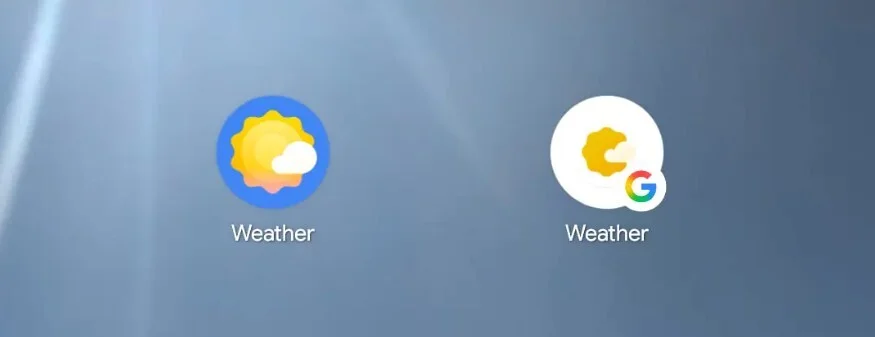
Distinguishing Between the Pixel Weather App and Google Weather App Icons
Pixel users can have both weather apps installed. The Pixel Weather app icon features a yellow sun partly covered by a small white cloud on a blue background. In contrast, the Google Weather app icon, which appears on all Android phones, uses a similar sun and cloud illustration but smaller, paired with the Google “G” logo on a white background.

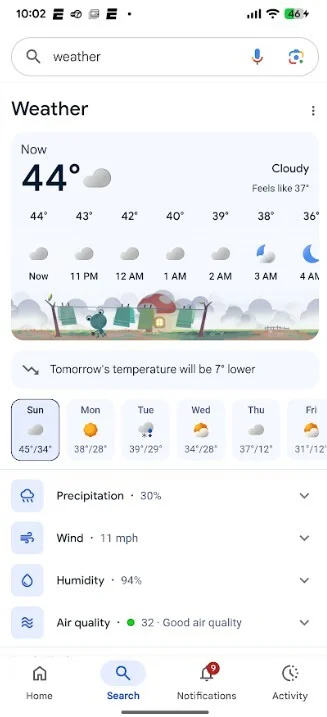
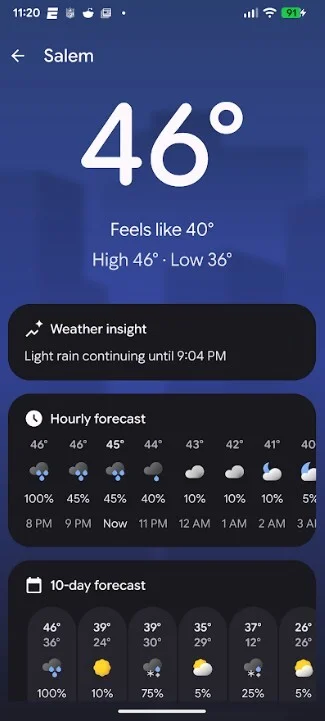
The Google Weather app organizes data differently than the Pixel Weather app. Froggy appears in a strip beneath the hourly temperature forecast. Below are the anticipated temperatures for the next ten days, along with additional weather metrics. Tapping the downward arrows reveals detailed hourly precipitation, wind, humidity, and air quality information displayed with color-coded bars.
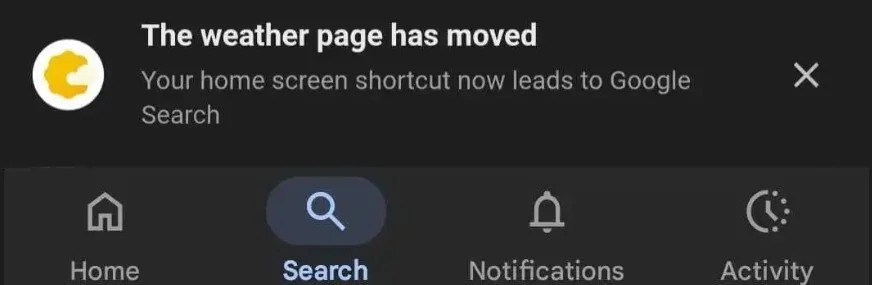
In recent weeks, some Android users have discovered that tapping the Google Weather app shortcut directs them to a message stating, "The weather page has moved. Your homescreen shortcut now leads to Google Search." This indicates that the standalone app experience is being phased out and integrated directly into Google Search results. It is important to note that the Pixel-exclusive Weather app remains unaffected. Additionally, Google has ceased new installs of the Google Weather app for Wear OS, encouraging users of new wearables to rely on the device’s built-in weather functionality.
Alternative Weather Applications for Android Users
With the Google Weather app transitioning into a search-integrated experience, some users may find it preferable to explore other weather apps. Pixel owners are recommended to use the dedicated Weather app linked earlier. Below are some widely popular alternatives available for Android and iOS:
- The Weather Channel (iOS, Android)
- AccuWeather (iOS, Android)
- 1Weather (iOS, Android)
- Weather & Radar (iOS, Android)
Local television stations often offer weather apps tailored to regional conditions. For example, Boston stations provide apps that help navigate severe winter weather, while South Florida offers hurricane-related weather apps to assist residents during hurricane season.



