Google is updating how YouTube video links appear in conversations within the Google Messages app. Previously, sharing a YouTube link displayed the full URL at the top, followed by a video preview, the title, description, and the YouTube domain. Now, this format is changing significantly.
YouTube Links Lose URL Display If Shared Without Text
With this new design, when a YouTube link is sent by itself, the URL no longer appears at the top of the preview. Instead, the video preview image becomes taller, the background beneath the preview is lighter and more noticeable, and the accompanying text is larger for better readability. If a message includes a comment along with the YouTube link, the URL remains visible at the top, while other styling changes still apply. Screenshots accompanying this article demonstrate the updated appearance.
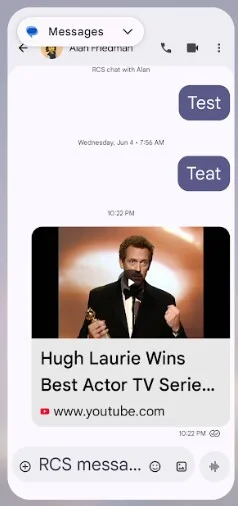
No visible URL when sharing a YouTube link alone in Google Messages. | Image credit - PhoneArena
This removal of the URL may be controversial and disappoint some users, though it does streamline the look of shared links. If users want to see the URL and not just the preview, they can navigate to Google Messages Settings > Automatic previews and toggle off “Show all previews” or “Show only web link previews.”
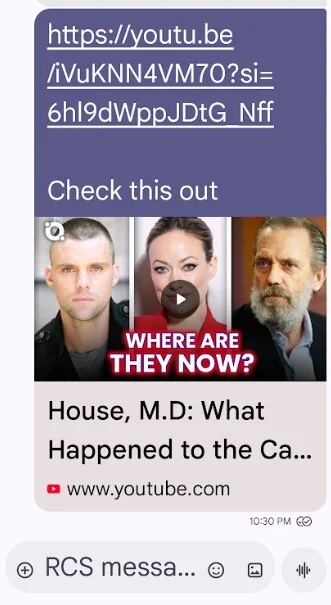
When including a comment with the link, the URL remains visible above the preview. | Image credit - PhoneArena
Current Availability on Pixel Devices
The updated link preview design is currently live in Google Messages beta version 20251121_00_RC01 and has been spotted on a Pixel 6 Pro running Android 16 QPR2 Beta 3.2. Tapping the YouTube link now opens the video within Google Messages’ picture-in-picture (PiP) player. Disabling PiP will open the video full screen inside the Messages app. Notably, there is no longer an option to open the video directly in the YouTube app from a link preview.
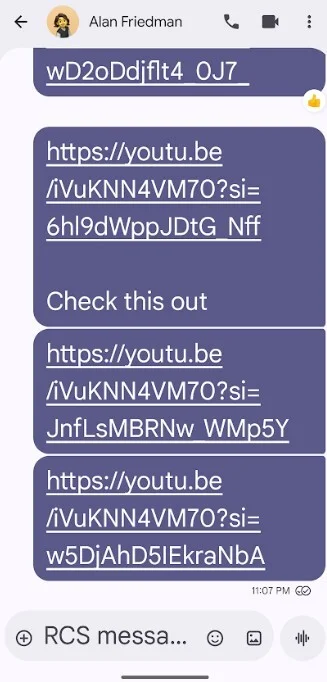
Disabling previews in settings results in a bare link appearance in Google Messages. | Image credit - PhoneArena
For users who do not already have Google Messages, such as those who use Samsung Messages, WhatsApp, or other third-party messaging apps, the Google Messages app can be downloaded from the Google Play Store by tapping this link.
Why Removing the URL May Upset Users
It might seem unlikely that Android users would be upset by a design change, considering the platform’s embrace of customization and updates. However, the removed URL contained the direct link to the YouTube page of the video. Previously, tapping the URL opened the video in the YouTube app, offering a full-sized viewing experience.
With the new design, videos open only within the Google Messages PiP player, which is smaller by default. Although you can expand the PiP player to full screen and rotate the device for landscape mode, this requires extra interaction compared to the straightforward launch of the YouTube app.
This extra step appears to be a significant reason why many users prefer having the URL visible — it provides quicker access to the native YouTube app and a more seamless viewing experience.
Does Google Messages removing the URL from YouTube links bother you?
Current Results:
Yes: 77.78%
No: 22.22%
Total Votes: 18




