Making Image Editing Simpler and More Integrated
Google's latest updates to its Gemini image editing platform mark a notable step forward in simplifying the editing workflow. While previous models, like the Nano Banana Pro, elevated image quality and editing capabilities, users often needed to switch apps to add annotations, highlights, or other markup elements. Now, Google is aiming to eliminate that cumbersome step by embedding annotation tools directly within Gemini’s interface.
According to recent leaks shared by TestingCatalog, Gemini for the web will soon let users draw, circle areas, and insert text layers on images without leaving the platform. This integration means users no longer have to export images to separate apps for detailed markups, streamlining the entire editing process.
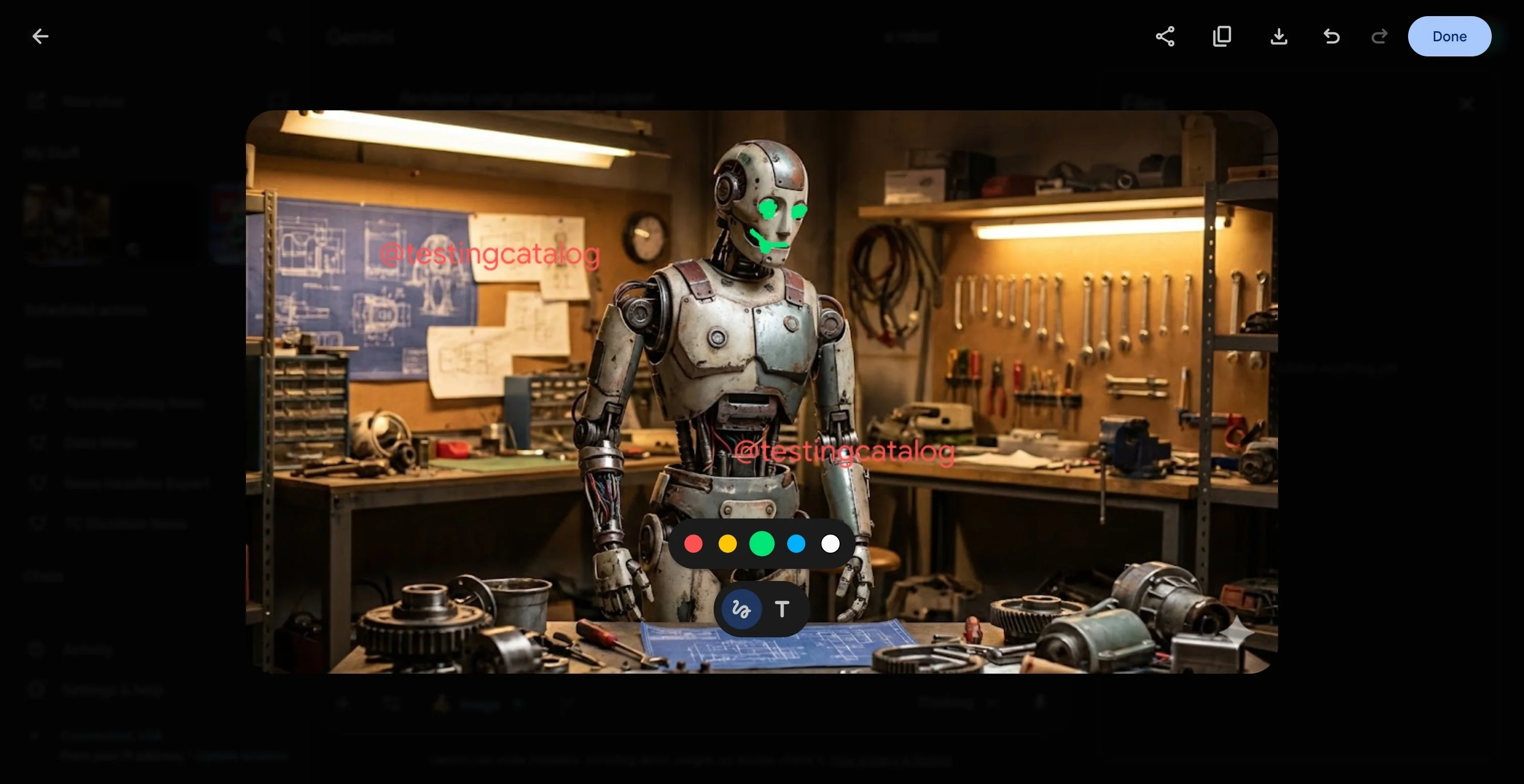
Previously spotted in the Gemini mobile app's hidden code, these markup features are now making their way to the browser, where the majority of users perform more complex edits. This shift signals Google's intention to provide a more comprehensive editing experience directly in the web interface.
User Engagement: How Do You Edit Your Photos?
Poll results from 2 votes:
- Yes, I use Gemini or AI tools often - 50%
- No, I don’t trust AI with my photos - 50%
- Sometimes, but I still prefer manual edits - 0%
- Rarely, only when I need something quick - 0%
Visual, Prompt-Based Edits: A New Way to Interact
In the mobile app, users can already see pop-up windows hinting that annotations may become tied to localized, prompt-based editing. This means instead of relying solely on text commands to describe changes, users could directly mark an area of the image and specify the desired edits visually. This method makes editing more intuitive and accessible, especially for beginners.
Small Feature, Huge Impact
This seemingly simple addition could transform how people interact with Gemini. By enabling users to mark specific parts of the image and provide instructions in a straightforward manner, Google is making advanced AI photo editing more approachable. Although Google has not officially announced these features yet, the presence of annotation tools in both mobile and web versions suggests active testing and imminent rollout.




