After launching cloud backups on Android, Signal is rolling out this highly demanded feature to its iOS app, enabling users to securely save and restore their chat history with ease. However, the new feature comes with some limitations and a subscription-based model users should be aware of.
Secure Cloud Message Backups Now Available on iOS
Signal users on iOS can now access a robust cloud backup option for the first time. This update simplifies the process of switching devices without losing valuable conversations, a feature Android users have enjoyed since earlier this year.
- Open Signal’s Settings and navigate to the Backups section.
- Tap Setup, then select Enable Backups > Next.
- Carefully write down your recovery key; it’s essential for restoring your backups.
- Confirm the recovery key and select a backup plan that suits your needs.
Progressing Towards More User-Friendly Privacy
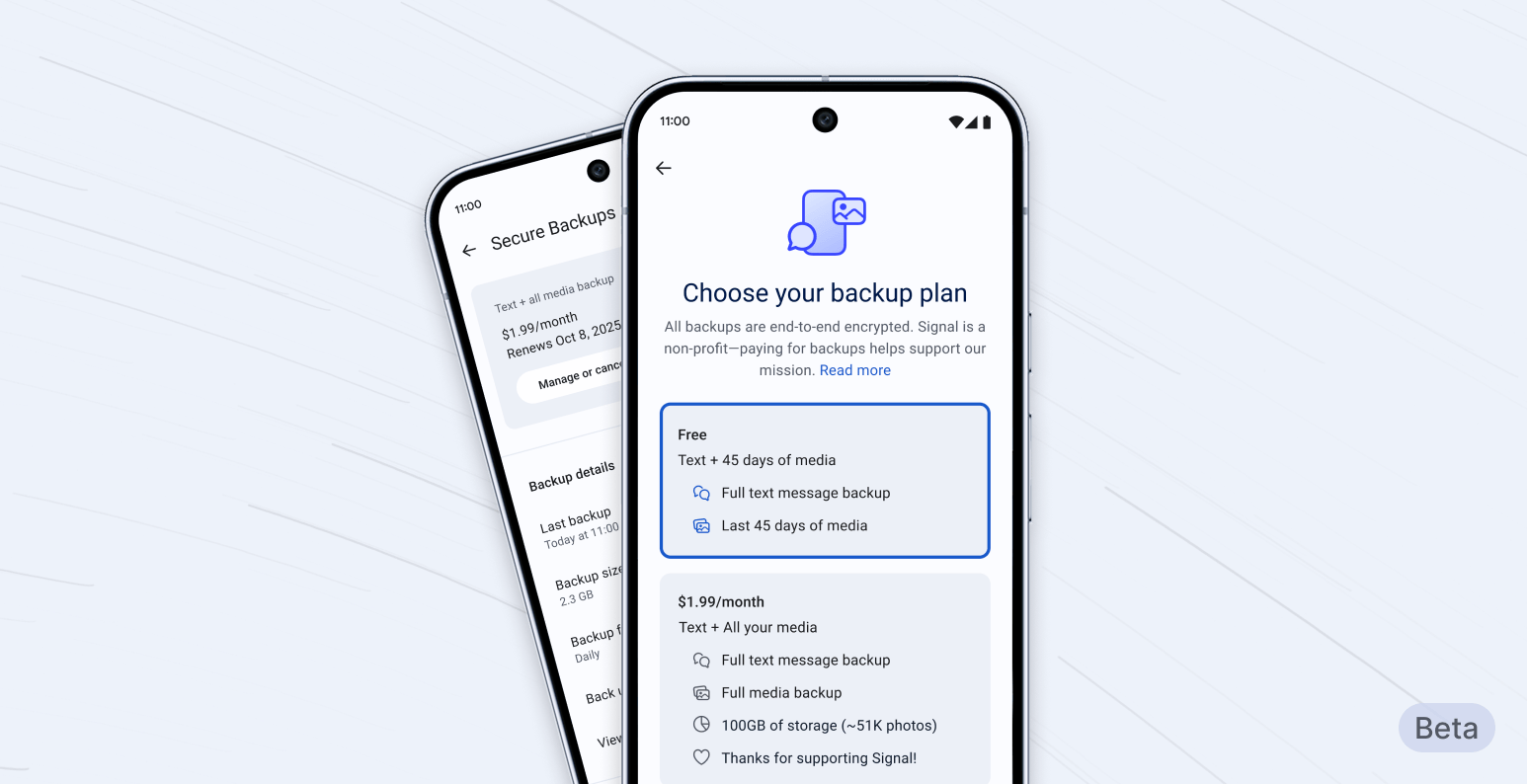
Is the Subscription Backup Model Worth It?
Signal’s cloud backups on iOS come with a subscription plan — a point that has sparked debate among users. A recent poll showed mixed opinions:
- 25% said yes, if it guarantees strong security.
- 25% might consider it if restoring backups becomes simpler.
- 50% would prefer not to pay for backups.
With only four votes so far, the community is divided on whether paying for cloud backups justifies the added convenience and security.
Affordable Unlimited Data Plans from Mint Mobile
Looking for economical unlimited data? Mint Mobile offers any unlimited plan for just $15 per month, cutting costs in half for a 12-month Unlimited plan compared to usual prices.
Buy at Mint Mobile



