Apple has recently launched the newest iOS 26.2 beta, introducing exciting new features for users to explore. One standout feature is the ability to adjust the transparency of your Lock Screen with a convenient slider tool.
Perfect Your Lock Screen Appearance
Building on the options introduced in the previous iOS 26.1 update, the iOS 26.2 beta now offers a dedicated transparency slider for the Lock Screen. This slider provides users with more control over the appearance of their Lock Screen compared to the simple Clear vs. Tinted toggle from iOS 26.1.
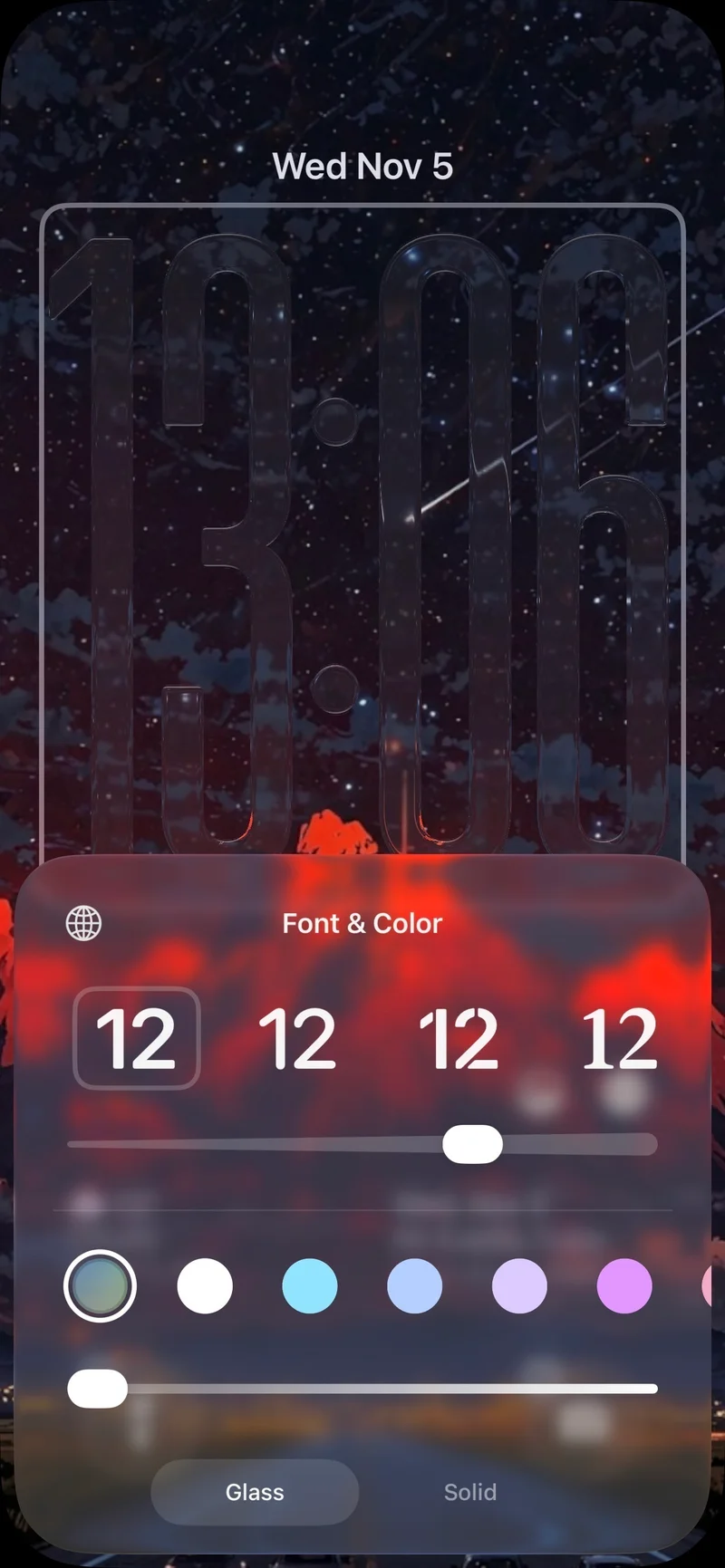
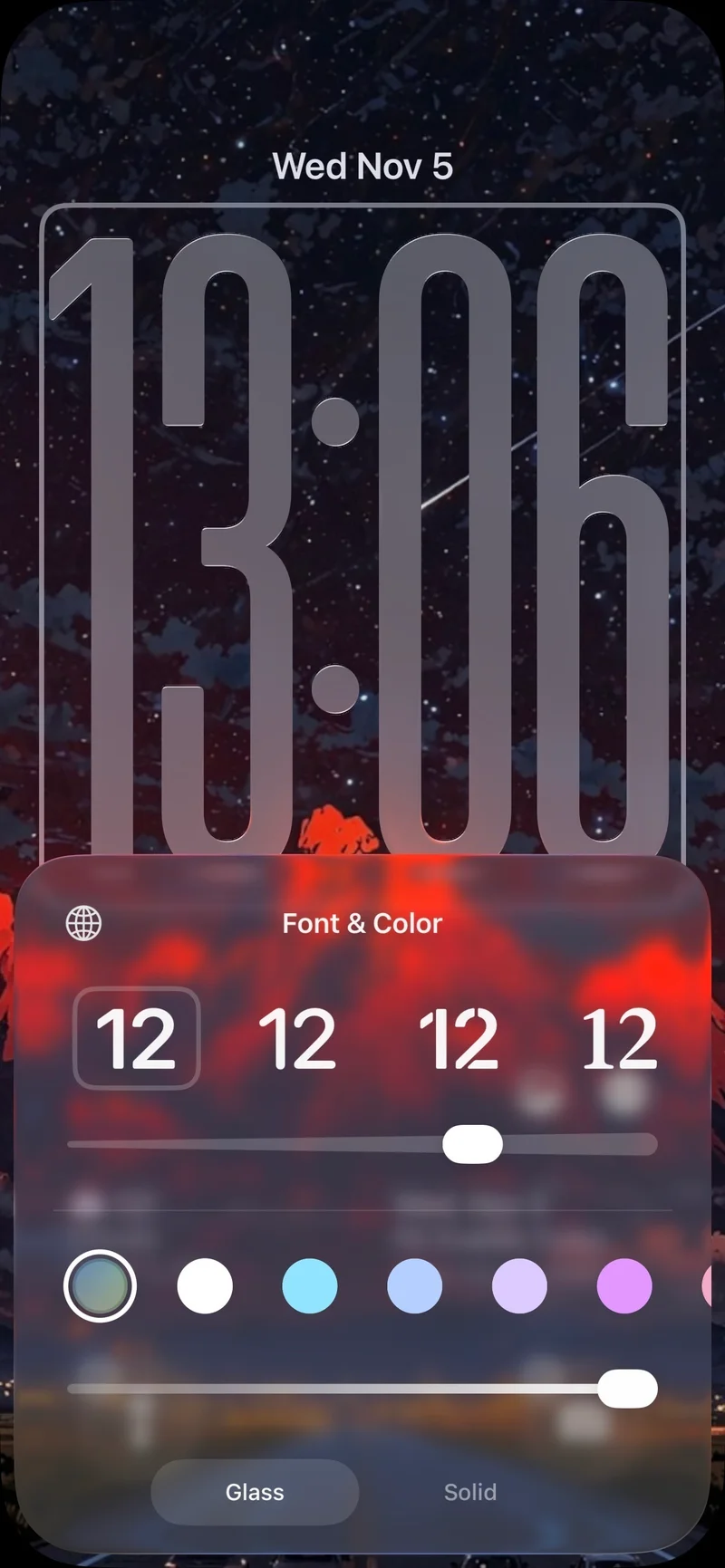
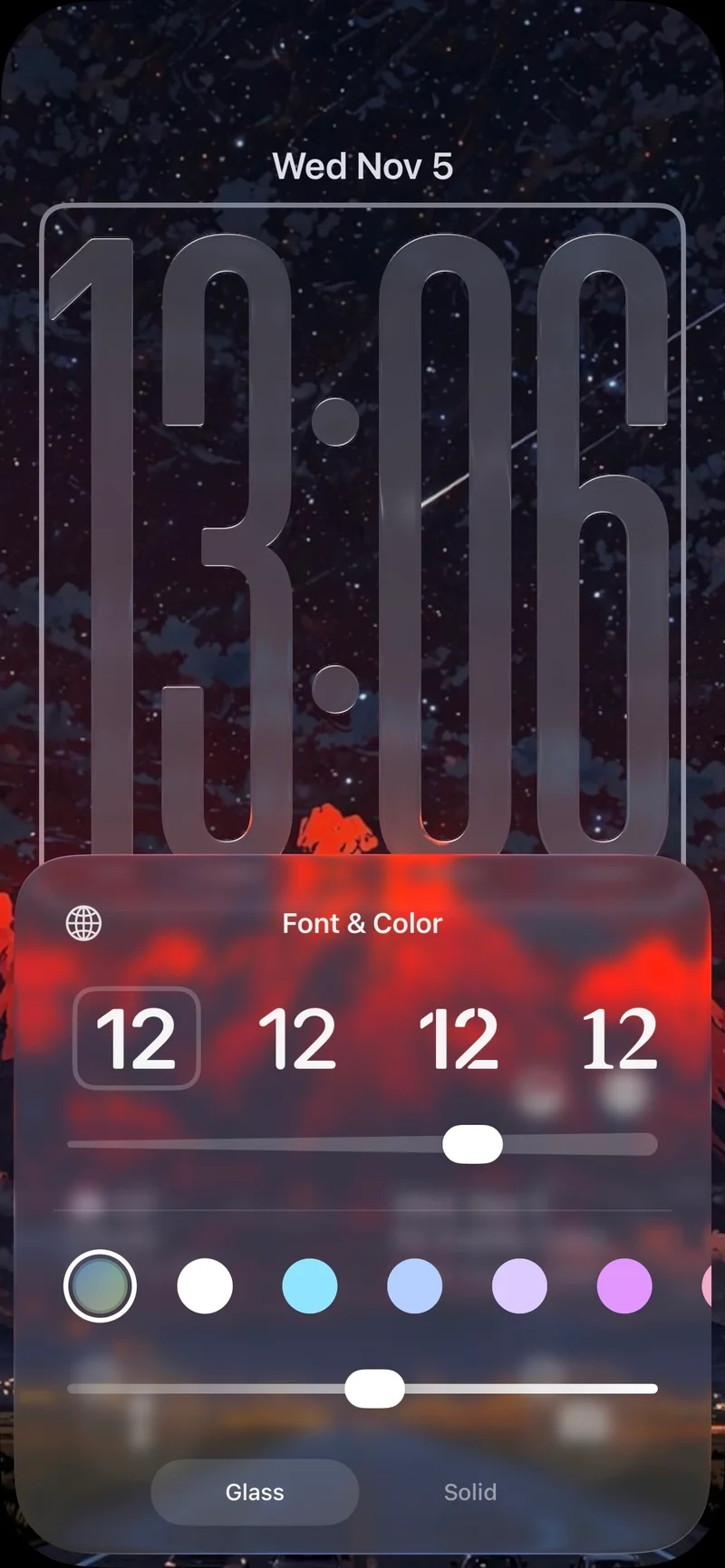
Whether you prefer a barely visible or solid clock display, this new feature allows you to personalize your Lock Screen to perfection. While you can adjust transparency, font resizing options remain limited to the default setting.
Enhance Personalization Options
For users who enjoy customizing their device's appearance, the iOS 26.2 beta offers a new level of control over the Lock Screen transparency. From subtle changes to bold adjustments, the transparency slider lets you fine-tune your Lock Screen to suit your preferences.
Experiment and Customize Your Lock Screen
Unlock the full potential of your Lock Screen with the latest iOS 26.2 beta update. Explore the various customization options available and create a personalized Lock Screen that reflects your unique style and preferences.




