Apple's recent "Liquid Glass" redesign in iOS 26 has sparked mixed reactions among users. In response to feedback, Apple has introduced a new toggle feature that allows users to customize the level of transparency to their preference on iPhone, iPad, and Mac devices.
Introducing the Option to Adjust the Transparency of Liquid Glass
iOS 26 introduced a highly transparent and fluid design across Apple devices, which may not be appealing to everyone. With the latest developer beta version (26.1 beta 4), users now have the ability to select a more opaque look. This new feature is expected to be included in the upcoming 26.1 public release, giving users more control over the appearance of their devices.
How to Access the Liquid Glass Setting
- On iPhone/iPad: Navigate to Settings > Display & Brightness > Liquid Glass.
- On Mac: Go to System Settings > Appearance > Liquid Glass.
In the Liquid Glass menu, users can choose between two options: "Clear" for the default transparent look and "Tinted" for increased opacity and contrast. This simple toggle will apply the selected setting throughout the user interface, including Apple's apps and third-party apps that utilize Liquid Glass.
Apple has responded to user demand for a way to manage the transparency settings, acknowledging the diverse preferences of their user base.
Significance of the Transparency Toggle
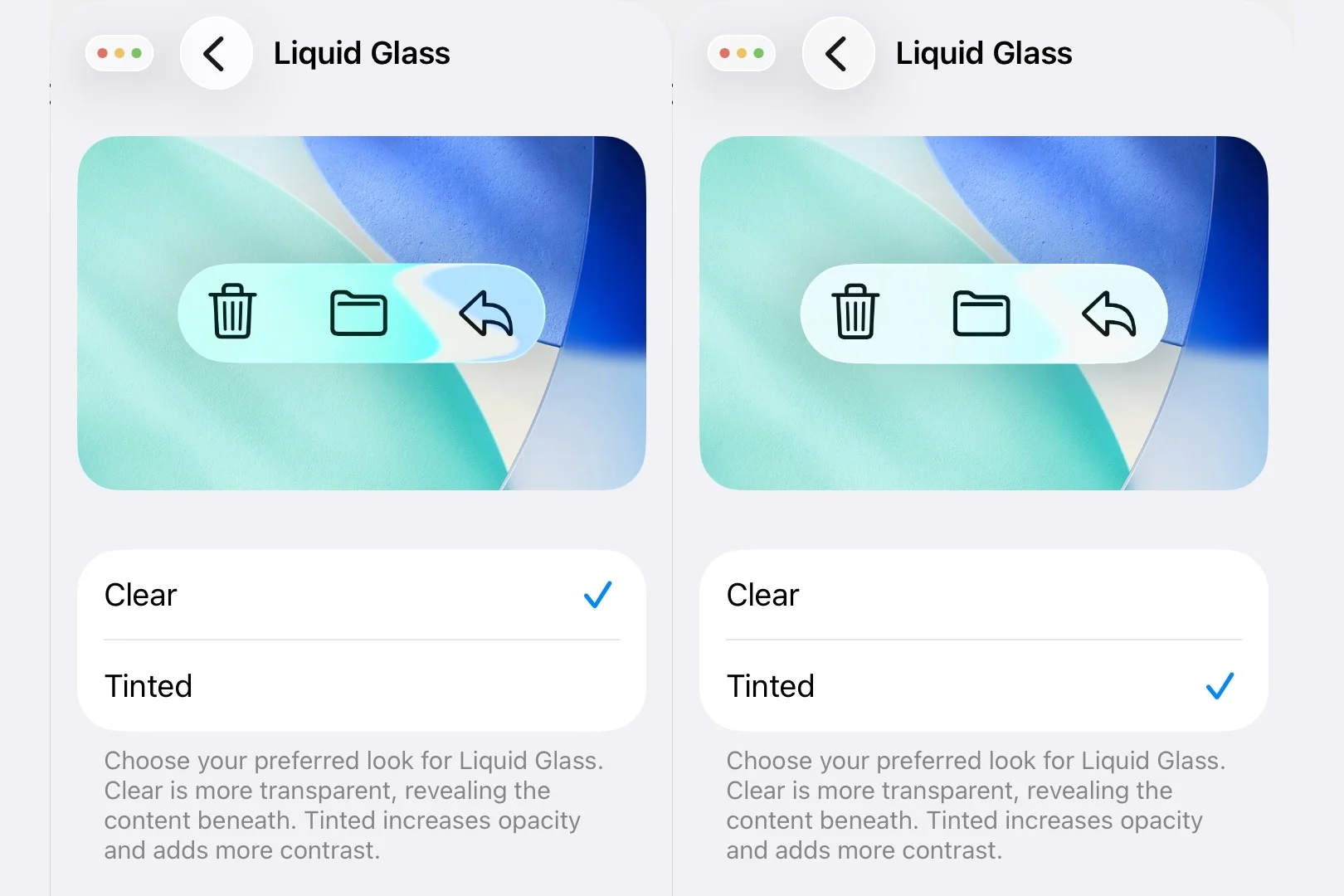
Preview of the iOS 26.1 Liquid Glass transparency toggle. | Image credit — PhoneArena
While personal preferences vary, Apple's introduction of the transparency toggle signifies a shift towards accommodating diverse user preferences. The option to adjust the transparency level reflects Apple's willingness to address user feedback and offer a more customizable experience. This update demonstrates Apple's commitment to enhancing user satisfaction and accessibility.
What are your thoughts on the transparency settings in iOS/iPadOS/MacOS 26?
"Tinted" Option: A Preferred Setting for Many Users
For those who find the default "Clear" Liquid Glass design challenging in terms of readability, the new "Tinted" option offers a more user-friendly alternative. This setting aligns with earlier versions of iOS 26 and provides a balanced level of transparency and contrast for everyday use. The introduction of customization features like "Tinted" reflects Apple's commitment to meeting user needs and preferences.
Recommended Stories
Don't miss the opportunity to explore the evolution of iconic phones over the past two decades! Discover the story behind more than 20 beloved devices in "Iconic Phones: Revolution at Your Fingertips," a visually captivating book that celebrates the mobile revolution. Secure your early-bird discount by signing up today!
Travel Easy with Nomad eSIM – 25% Off
Find data-only plans and global coverage with Nomad eSIM. Enter code IPHONE25 for a special discount or sign up to receive the offer automatically.
This article may contain affiliate links, and if a purchase is made through them, we may receive a commission.




