With the new macOS Tahoe update, MacBook users can now easily connect to their iPhone hotspots automatically without any manual intervention. This feature brings them closer to experiencing seamless cellular-like connectivity on their laptops.
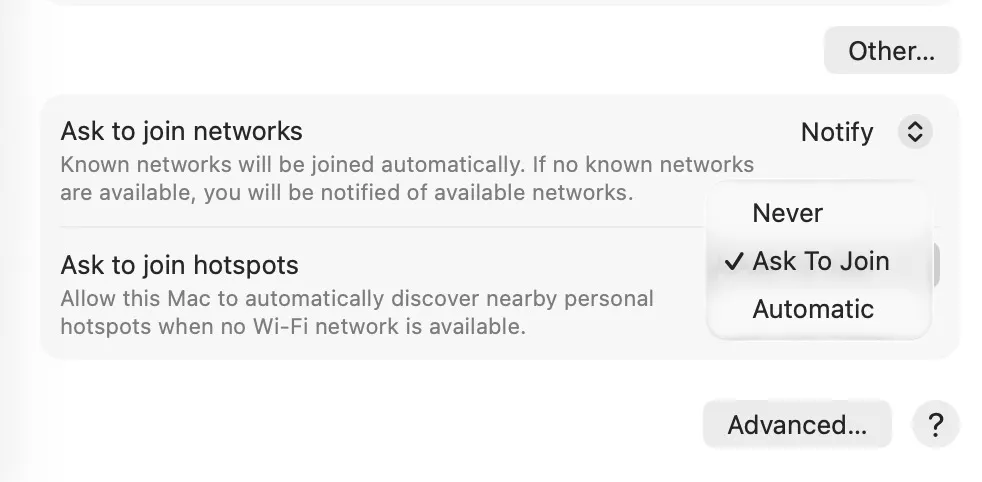
Image Credit - 9to5Mac
Automatic iPhone Hotspot Connection for MacBooks
The System Settings app now offers the 'Automatic' option under 'Ask to join hotspots', enabling MacBooks to effortlessly connect to iPhone hotspots. This convenient feature eliminates the need for manual hotspot selection.
Enhanced Connectivity Experience
While a MacBook with built-in cellular capability is on the horizon, this update bridges the gap by allowing seamless internet sharing from iPhones. Users can now enjoy a more connected experience without draining their iPhone's battery.
Personalization and Convenience
Users have the flexibility to choose whether to enable automatic hotspot connection, ensuring personalized connectivity preferences. This user-friendly feature enhances convenience while preserving battery life.
Explore More: Iconic Phones: Revolution at Your Fingertips

Discover the fascinating history of iconic phones in our upcoming book. Sign up for early bird discounts to secure your copy and delve into the evolution of mobile technology!




