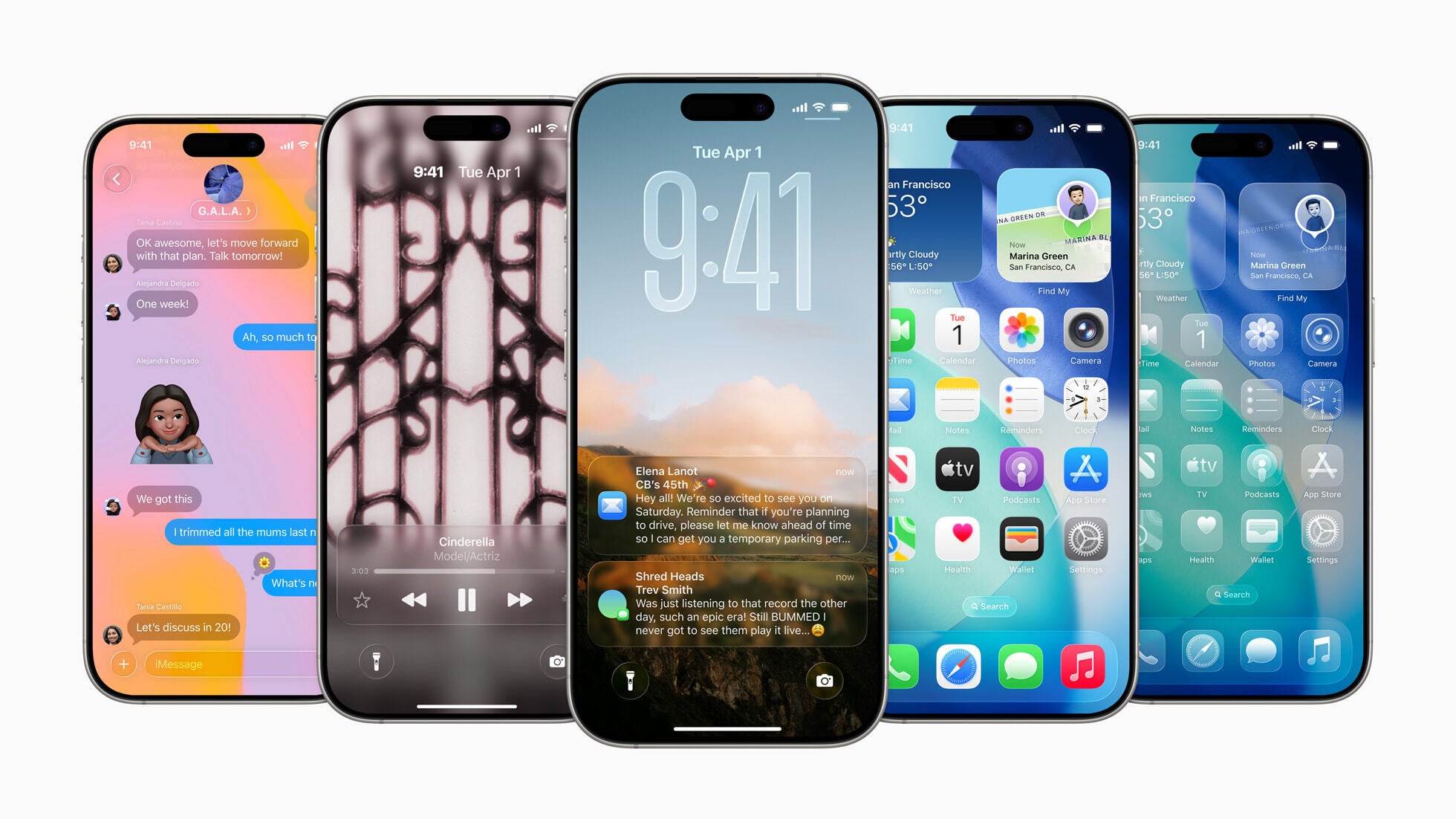
Apple has introduced a groundbreaking redesign with the unveiling of iOS 26 at the WWDC event. This upcoming update is set to revolutionize the way we interact with our iPhones, offering a visually stunning experience unlike anything we've seen before. Let's dive into the key highlights of this fresh design overhaul.
From a shift in the numbering system to the introduction of Liquid Glass design elements, Apple is paving the way for a new era of user interfaces that are intuitive, immersive, and dynamic.
Get ready for a visual transformation with iOS 26. | Image credit – Apple
Key Highlights of iOS 26 Redesign:
A move towards light, glass-like transparency in toolbars, tabs, and in-app elements.
Revamped app icons and widgets to align with the new design language.
Translucent elements in key apps like Safari and Camera for a seamless user experience.
Enhanced navigation with dynamic pop-out menus that respond in real time.
Adaptive design that intelligently switches between light and dark modes based on surroundings.
Join the Discussion: What are your thoughts on the iOS 26 redesign?