Apple has unveiled a range of new accessibility features to be rolled out across its devices, with an emphasis on inclusivity. These updates were showcased at the recent WWDC 2025 event, showcasing the tech giant's commitment to making its products more accessible to all users.



Improved Accessibility Tools from Apple
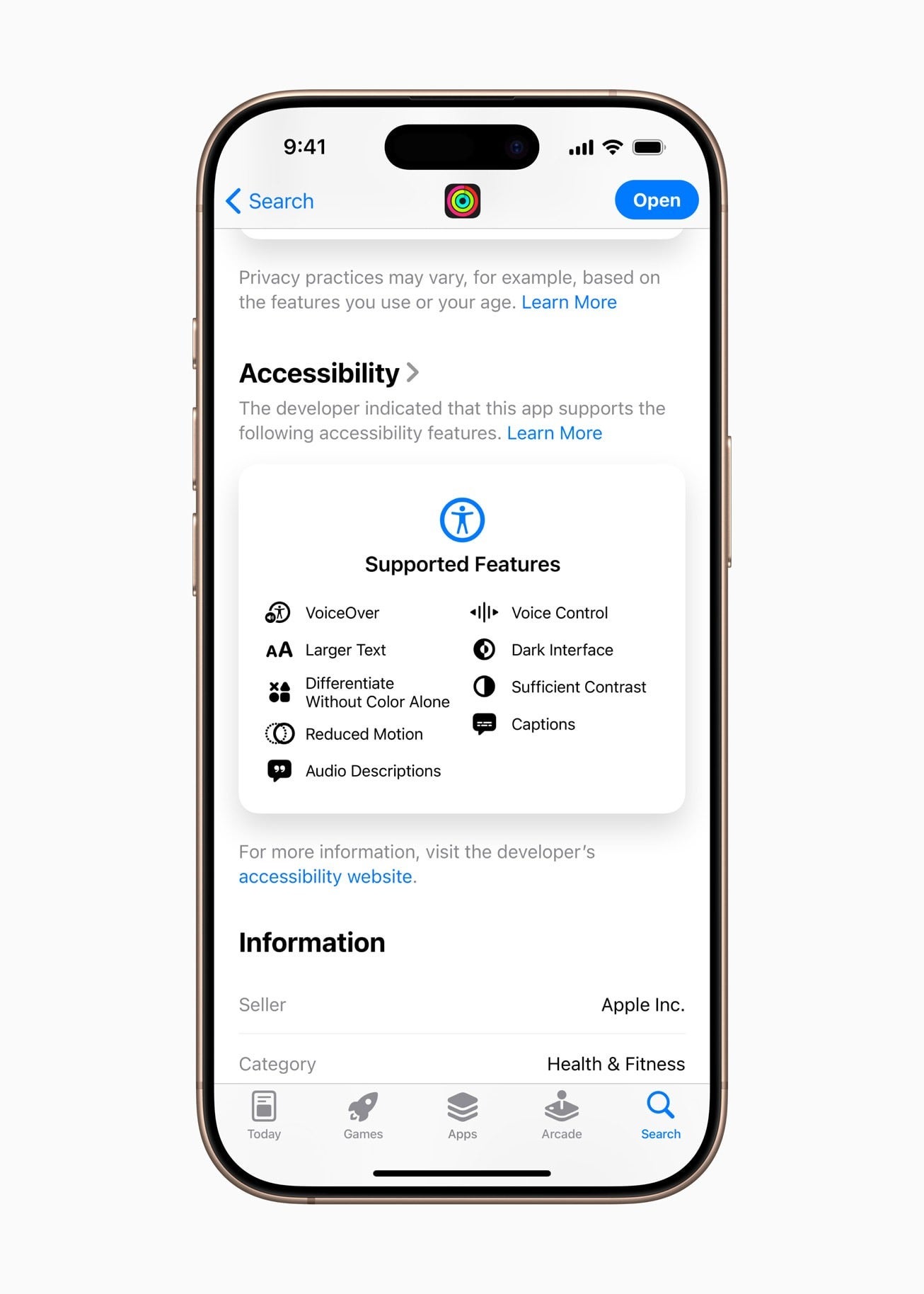
Accessibility Nutrition Labels on the App Store
The App Store now features Accessibility Nutrition Labels, aiding users in identifying which accessibility features are supported by an app or game before downloading.
Introducing Braille Access
Braille Access enhances note-taking capabilities, supports Braille Screen Input, and enables reading and annotation of BRF files. This feature is designed to uplift users with visual impairments.
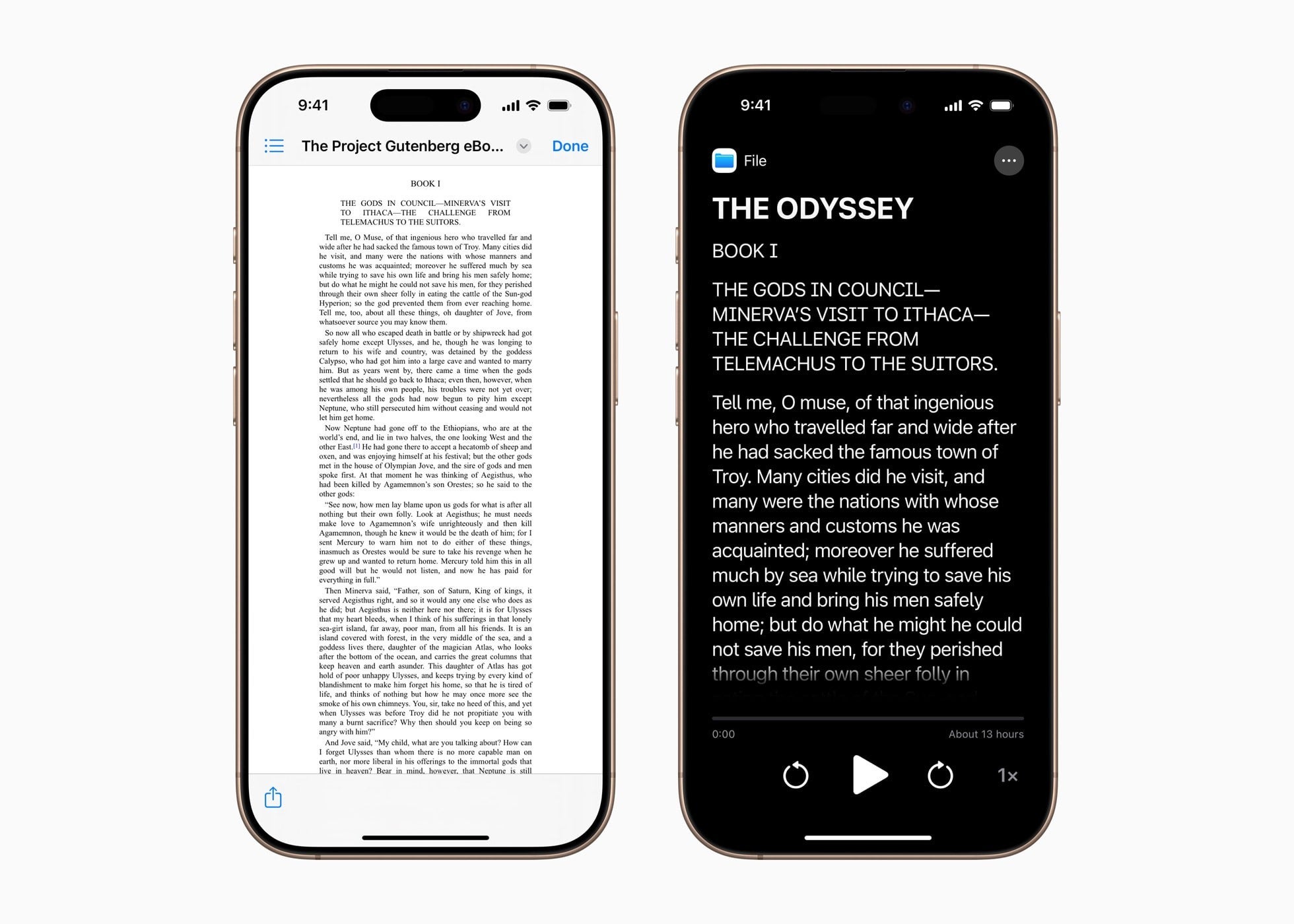
Accessibility Reader: A Systemwide Reading Mode
Accessibility Reader, available across iPhone, iPad, Mac, and Vision Pro, introduces a systemwide reading mode with customizable text appearance options catering to individual preferences.
Share Accessibility Settings Across Devices
Apple's Share Accessibility Settings feature enables users to temporarily apply personalized accessibility settings, such as VoiceOver and Zoom, on another Apple device. This facilitates a seamless and consistent user experience across various devices.
Enhanced Accessibility on Vision Pro
Apple Vision Pro introduces hands-free accessibility features, including Zoom enhancements that allow users to magnify real-world content through the device's main camera. These updates aim to enhance independence and navigation for users with visual impairments.
Magnifier Expansion to Mac
The Magnifier tool, synonymous with iPhones and iPads, now extends to macOS. This accessibility feature utilizes a connected camera, including the iPhone's camera via Continuity Camera, to zoom in on documents, whiteboards, and real-world objects.
Comprehensive Updates
- Background Sounds now offer EQ settings and enhanced automation options in Shortcuts.
- Personal Voice creation is expedited to under a minute, supporting Spanish (Mexico) language.
- Vehicle Motion Cues on Mac assist in alleviating motion sickness during transit.
- Eye Tracking and Head Tracking enhancements allow for seamless device control through simple movements or dwell gestures.
- A new protocol caters to Brain-Computer Interfaces, broadening support for users with severe mobility impairments.
- Assistive Access on Apple TV streamlines media playback for simplified usability.
- Music Haptics are more customizable, enabling users to feel vocals or songs through vibrational feedback on iPhones.
- Name Recognition debuts in Sound Recognition, notifying users with hearing impairments when someone calls their name.
- Voice Control expands with a new programming mode in Xcode and extends language support to Korean, Arabic (Saudi Arabia), Turkish, and more.
- CarPlay now supports Large Text and additional sound notifications like crying babies and sirens.



