Apple has just released the highly anticipated iOS 26 Developer Beta, and if you're feeling lucky and adventurous, you can now install it on your compatible iPhone. While it's exciting to be one of the first to experience the new features of iOS 26, keep in mind that beta software can come with its own set of risks and issues.
From potential app incompatibility to decreased battery life and the risk of bricking your iPhone, there are a few things to consider before taking the plunge and installing the beta. However, if you're eager to test out the latest and greatest from Apple, the Developer Beta is now available for download on select iPhone models.
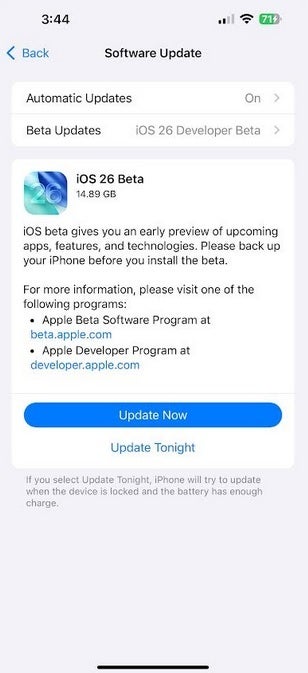
The iOS 26 Developer Beta has arrived. | Image credit-PhoneArena
Since the Developer Beta is typically more buggy and less stable than the Public Beta release, it's important to proceed with caution. Before installing the beta, be sure to back up your iPhone to avoid any potential data loss.

Receive the latest iOS news
By subscribing you agree to our terms and conditions and privacy policy.
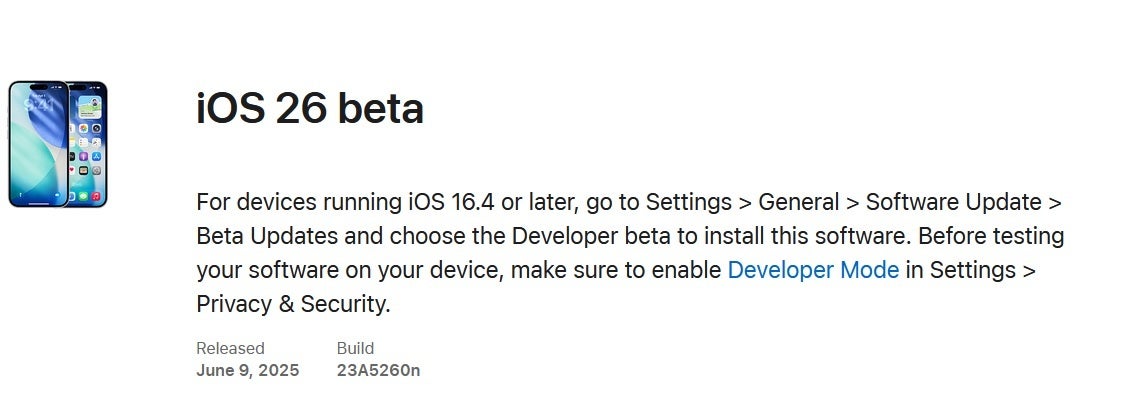
Information on installing the iOS 26 Developer Beta. | Image credit-Apple
To install the iOS 26 Developer Beta, navigate to Settings > General > Software Update on your iPhone. Tap on Beta Updates and select iOS 26 Developer Beta. Follow the on-screen instructions to install the beta version on your device.
If this is your first time installing a beta version of iOS, you'll need to register with the Apple Beta Software Program at beta.apple.com. Make sure you're enrolled in the iOS Beta Program before proceeding with the installation.



