Apple is steadily advancing toward the anticipated release of iOS 19 with its latest update, iOS 18.5 beta 2. While the new beta version might not unveil groundbreaking features, it does streamline certain functionalities for users. Among the notable changes is the ability to easily disable the Contact Photos feature in the Mail app, a welcomed addition for those who prefer a more minimalist experience.
The Contact Photos feature allows users to assign images to their contacts, which can appear during calls and in various messaging interfaces. However, with the recent update, iPhone users who find the feature distracting in the Mail app can now toggle it off more conveniently. The simplicity in this change reflects Apple’s ongoing efforts to enhance user control within its ecosystem.
Previously, users had to navigate through the Settings app to disable the Contact Photos feature, which involved multiple steps: Settings > Apps > Mail > Toggle off Show Contacts Photo. With the latest beta, this has been simplified.
With iOS 18.5 beta 2, the process is much quicker. Simply open the Mail app, tap the three-button menu icon, and select "Show Contact Photos." A checkmark will indicate whether the feature is active, and tapping it will easily toggle the feature off.
This latest beta release may lack significant new features, with the streamlined ability to disable Contact Photos being a notable highlight. Initially, many were looking forward to the debut of Personal Siri in this beta, but it has been deferred indefinitely.
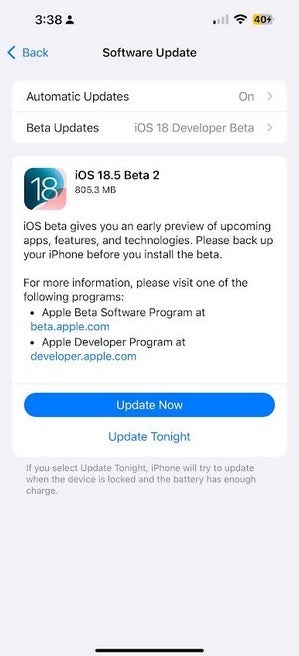
You must be enrolled in the iOS 19 beta program to install iOS 18.5 beta 2. Interested users can tap here or visit www.beta.apple.com, sign up, and then navigate to Settings > General > Software update to proceed with the installation. As always, backing up your device before installing a beta release is advisable.
Though the beta is primarily intended for developers, Apple no longer requires a fee for joining this group. Developers have the early advantage of accessing updates first, though potential issues will require patience until fixes are released. Notably, Apple often staggers the release of developer and public betas to manage any arising problems.




