Samsung Unveils Exciting Customization Features in Good Lock's Home Up Module
Samsung has taken a step forward in enhancing user experience with its latest update. With the introduction of the Good Lock's Home Up module in One UI 7, users can now enjoy unprecedented customization options for their home screens, steering away from the traditional grid layout.
The grid format for shortcuts and widgets has long been the norm, often resulting in a monotonous interface. However, Samsung's latest update allows users to break free from this limitation. With the Home Up module, you can now resize, move, and even rotate app icons, folders, and widgets at will.
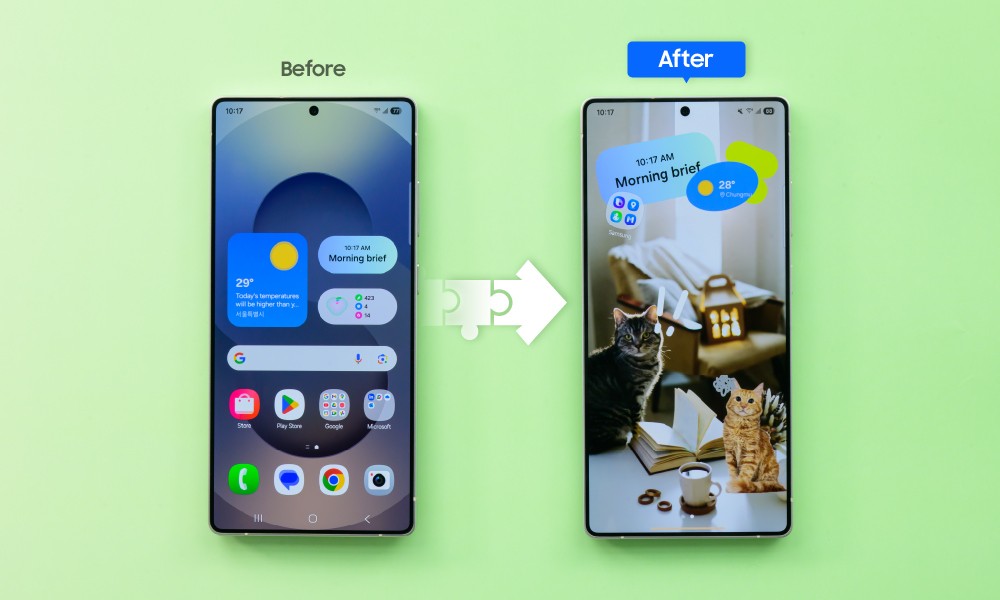 The default Galaxy S25 Ultra homescreen next to a Home Up customized look
The new "DIY Home Screen" feature within Home Up makes this level of customization possible. Take a look at a quick demo below:
The video showcases the basic tools available, but the fun doesn't stop there. Users can also utilize stickers to enhance their designs creatively. For example, by placing a sticker over an app icon, you can cleverly integrate it into your artistic layout.
Moreover, the DIY Home Screen feature allows for personalized animations as you navigate through your home screen, highlighting the unique elements you've incorporated.
If the persistent Favorite Apps Row at the bottom of the screen interferes with your desired aesthetic, you have the option to disable it through Home Up settings.
To use these innovative features, ensure you have One UI 7 installed on your device. Check the roadmap for updates on when your Galaxy phone will receive this upgrade. Although Good Lock may not be available in every region, One UI 7 is set to roll out globally, delivering these enhancements to users everywhere as they receive the update.




