Google has made a noteworthy adjustment to the Gmail for Android app by relocating the Account Switcher back to its original position. This feature, integral to managing multiple Google accounts, simplifies the process of switching between accounts without the hassle of signing out each time. Users can easily access this feature by tapping on their profile icon located in the upper right corner of the app interface.
Approximately six months ago, Google implemented a redesign that resulted in the Gemini side panel being moved in Gmail for both iOS and Android platforms. As a result, the Account Switcher was shifted to the left, placing it inside the search bar element, which altered the user experience for many. The Gemini "sparkle" was then positioned between the search bar and the edge of the display, diverging from its traditional placement found in other Google applications.
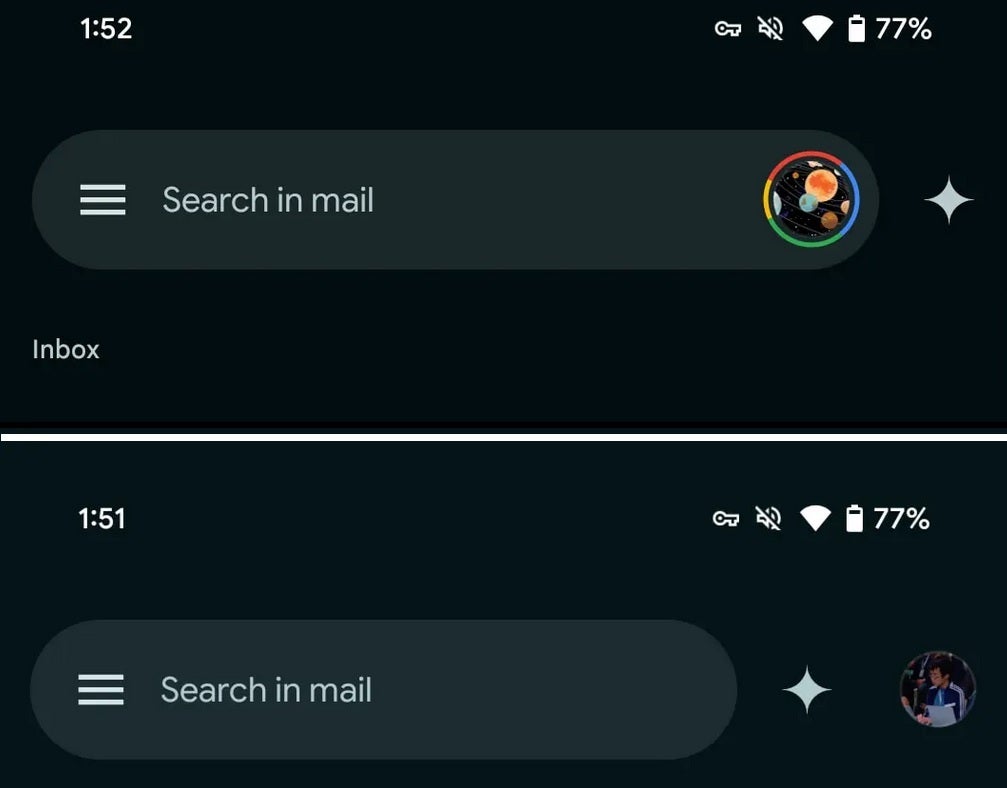
Earlier layout of the Google Account Switcher on top, with the newly updated look below. | Image credit-9to5Google
A recent update indicates that certain Workspace users are noticing the return of the profile icon to the upper right corner of the app, while the Gemini "sparkle" has returned to reside between the search bar and the profile icon. This reversion to the previous layout has been observed in version 2025.03.02.x of the Gmail app, although this version is not yet widely available to all users.
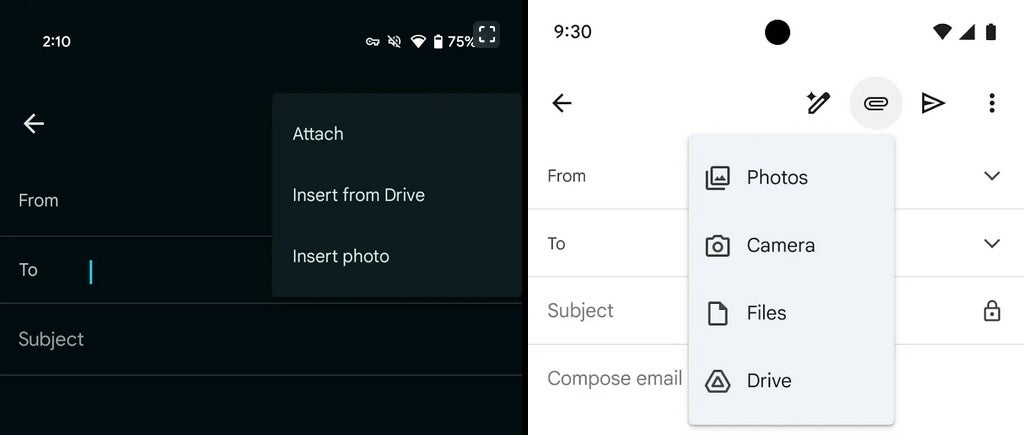
Comparison of the old attachments menu on the left with the new version on the right. | Image credit-9to5Google
The rationale behind Google’s decision to shuffle elements around in their applications can sometimes seem puzzling. However, it is clear that the company is responsive to user feedback, willing to adapt and make changes based on what users prefer, even if it means reverting back to a previous design.
In addition to the Account Switcher changes, Google has also revamped the attachment menu within the Gmail app for Android. By clicking the paper clip icon during email composition, users will now see a refreshed menu featuring options like Photos, Camera, Files, and Drive, with a new Camera option allowing for quick attachment of photos. This update is also in the process of being rolled out to users.




