The Pixel Weather app has come a long way since its basic beginnings. What used to be a simple feature buried within the Google app has evolved into a fully-fledged application available on the Play Store, catering specifically to Pixel users. With the latest updates, Google is set to make using the Pixel Weather app even more intuitive and user-friendly, providing enhanced features tailored to users' needs.
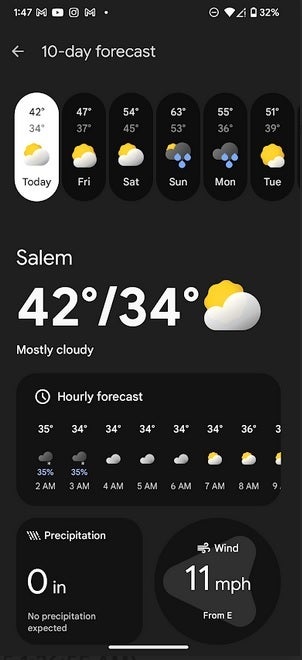
With the launch of the Pixel 9 series, Google introduced a comprehensive Pixel Weather app now accessible through the Play Store. The app, available for several Pixel models, provides valuable weather insights alongside a charming personality—a beloved weather frog named "Froggy," adapted to local weather conditions.
For those with compatible devices, such as:
- Pixel 6
- Pixel 6 Pro
- Pixel 6a
- Pixel 7
- Pixel 7 Pro
- Pixel 7a
- Pixel 8
- Pixel 8 Pro
- Pixel 9
- Pixel 9 Pro
- Pixel 9 Pro XL
- Pixel Tablet
- Pixel Fold
- Pixel 9 Pro Fold
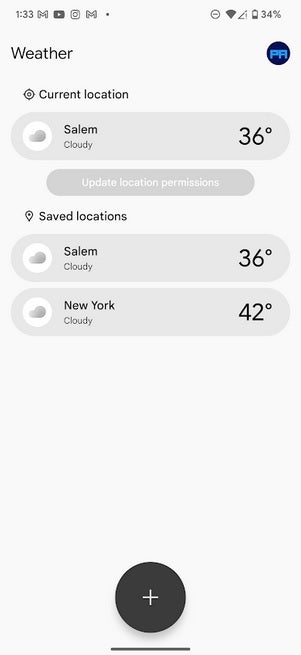
The app's functionality has been enhanced with features like a 6-hour precipitation map and the ability to customize weather data. Users have noted a new "Save" button in version 1.0.20250127 of the app, allowing the addition of the current city to the Saved Locations list quickly. However, this feature currently only saves the user's present location, which may change in future updates.

To check the weather in different locations, users currently need to add cities to their Saved Locations, which can be done easily through the app's interface. Simply tap the City icon and type in the desired location to add it. When searching for new locations, however, the "Save" button does not appear, which somewhat complicates multi-location tracking.
A notable enhancement in the upcoming updates is the addition of the date next to the day of the week in the one-day forecast, ensuring clarity and preventing confusion, especially when the same day appears multiple times in the 10-day forecast.
If you own a Pixel 6 or any later model, you can easily access the Pixel Weather app by tapping on this link.




