New Feature Alert: Add Google Calendar Events Directly from Gmail
In an exciting development for productivity enthusiasts, Google has rolled out a game-changing feature that allows users to create events in Google Calendar directly from their Gmail inbox. By leveraging the capabilities of Gemini, Google’s advanced AI tool, this functionality is designed to streamline the process of scheduling events based on email content.
When your email contains information related to a calendar event, Gemini will automatically recognize it and display an "Add to calendar" button for easy access. Upon clicking this option, a side panel will pop up for you to confirm the event details. This integration expands on previous features that allowed users to inquire about their Google Calendar items directly within Gmail, a service that has been available since November of the prior year.
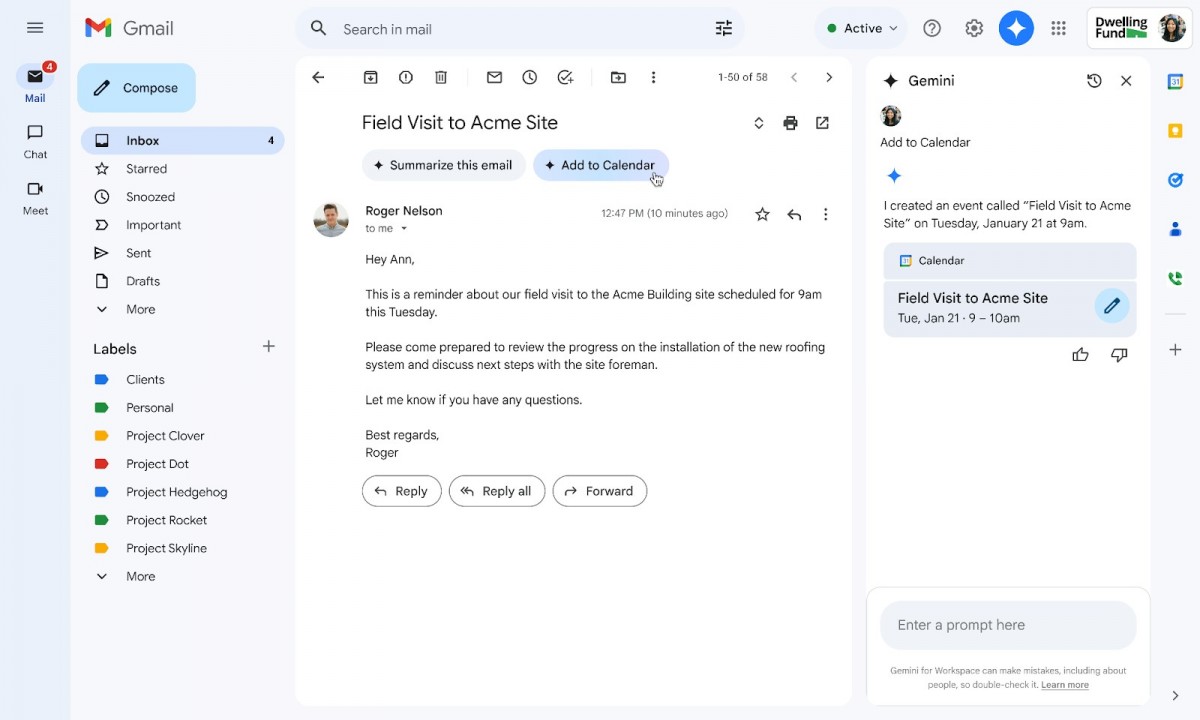
Currently, the feature is available exclusively in English and is limited to the web version of Gmail. Users should note that the "Add to calendar" button will not appear in emails where events have already been automatically detected, such as flight bookings or restaurant reservations. As it stands, calendar events created through this new functionality will not include options for adding other guests.
The rollout has commenced today, with a phased implementation expected to extend until mid-April for all accounts. However, access to this feature is limited to users with a Google Workspace Business or Enterprise account, those subscribed to Gemini Education or its Premium add-on, or Google One AI Premium users.




