Microsoft has launched a surprising new offering: a free version of its iconic Office suite for Windows. This development, however, comes with significant restrictions and ads that users should be aware of. According to recent reports, the version is currently part of a "limited test," which means access may not be guaranteed for everyone.
While users can utilize the basic functionalities of Word, Excel, and PowerPoint at no cost, they will encounter a persistent banner ad and video ads every few hours. Additionally, file-saving capabilities are restricted to OneDrive only—you will not be able to save files locally on your device. Moreover, the features available in these free versions are quite limited compared to the full Office suite.
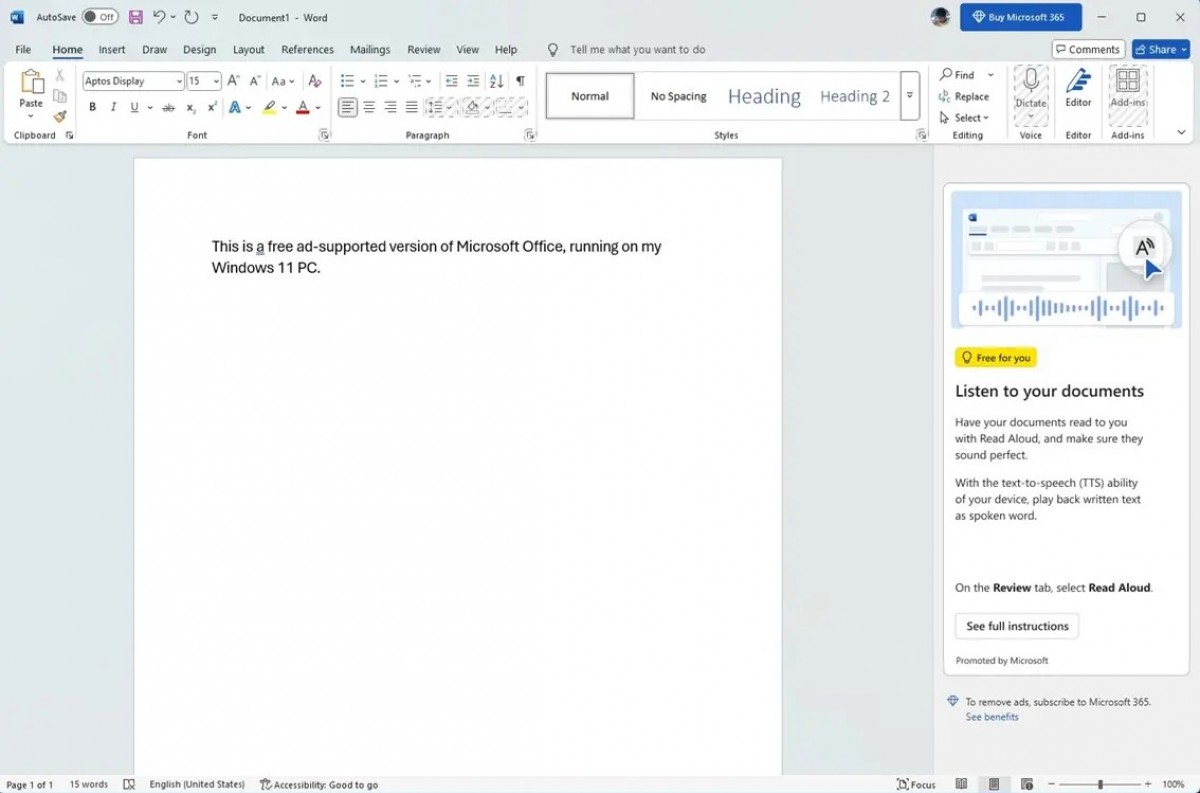
Getting started with this free version is relatively straightforward. Simply download Office from the official Microsoft website and run the installer to obtain the suite of apps. When you launch any Office application, a pop-up will prompt you to sign in.
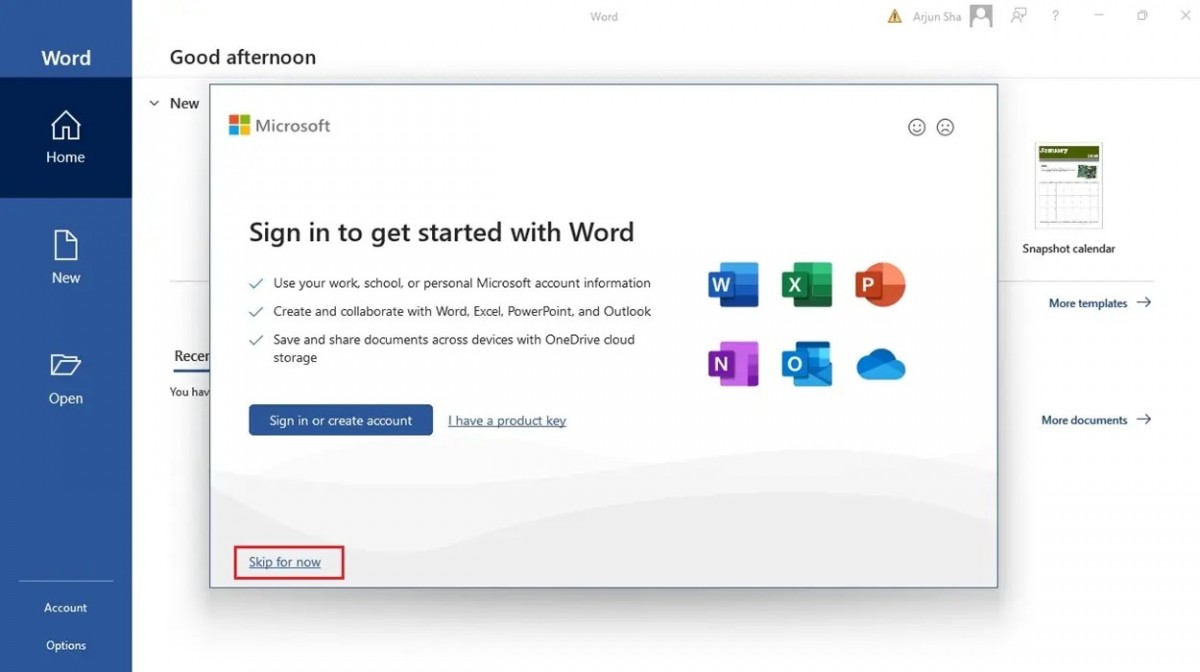
If you prefer to skip the sign-in, click "Skip for now" and you'll be greeted by a welcome message for the free Word, Excel, and PowerPoint versions.
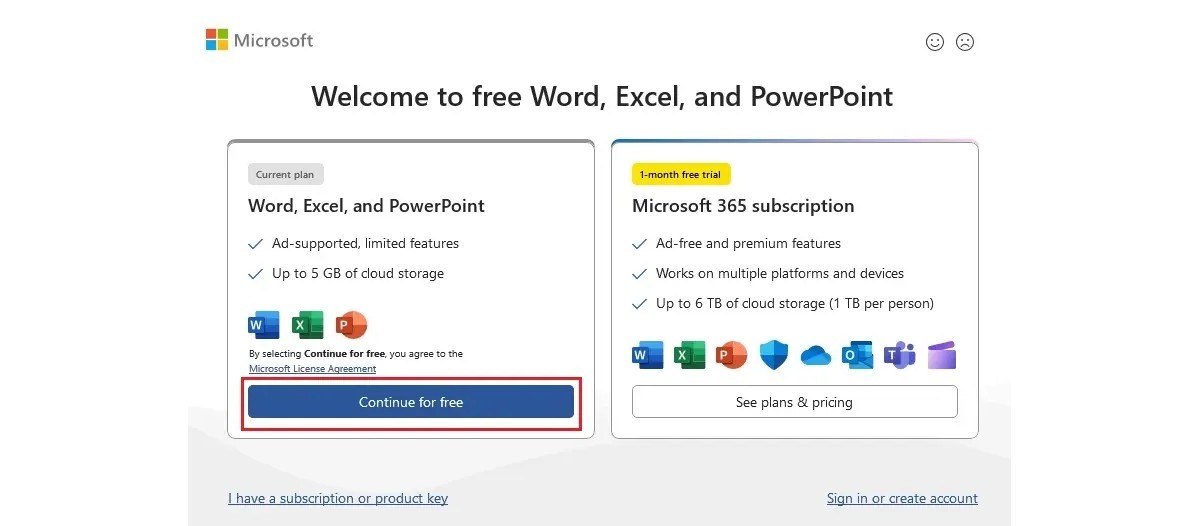
Next, select "Continue for free," and then you must click "Save to OneDrive" when prompted.
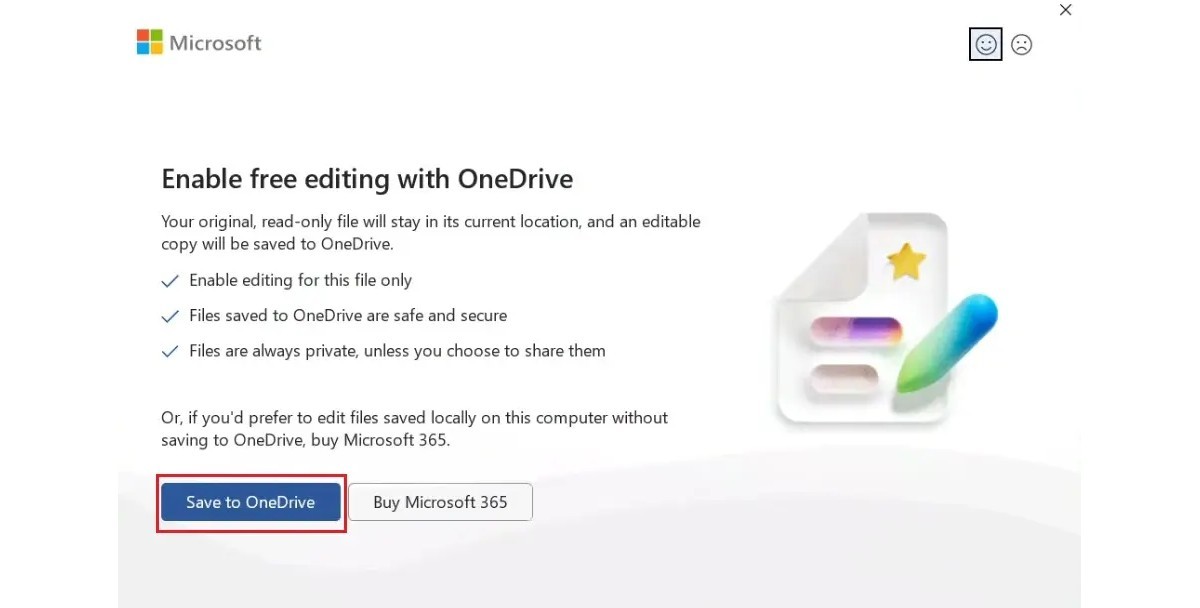
After completing these steps, you can access limited versions of Word, Excel, and PowerPoint for free, though you'll need to review the extensive limitations on functionality listed in the source linked below.




