Google Drive is revolutionizing how users interact with their video content by introducing a game-changing transcript feature that makes finding information in videos smoother and more efficient. This update not only allows users to access captions but also enables them to search through a comprehensive transcript of their videos, enhancing the overall navigation experience. Building on last year's automatic captioning capabilities, this development aims to simplify the process of managing video content and retrieving specific details with ease.
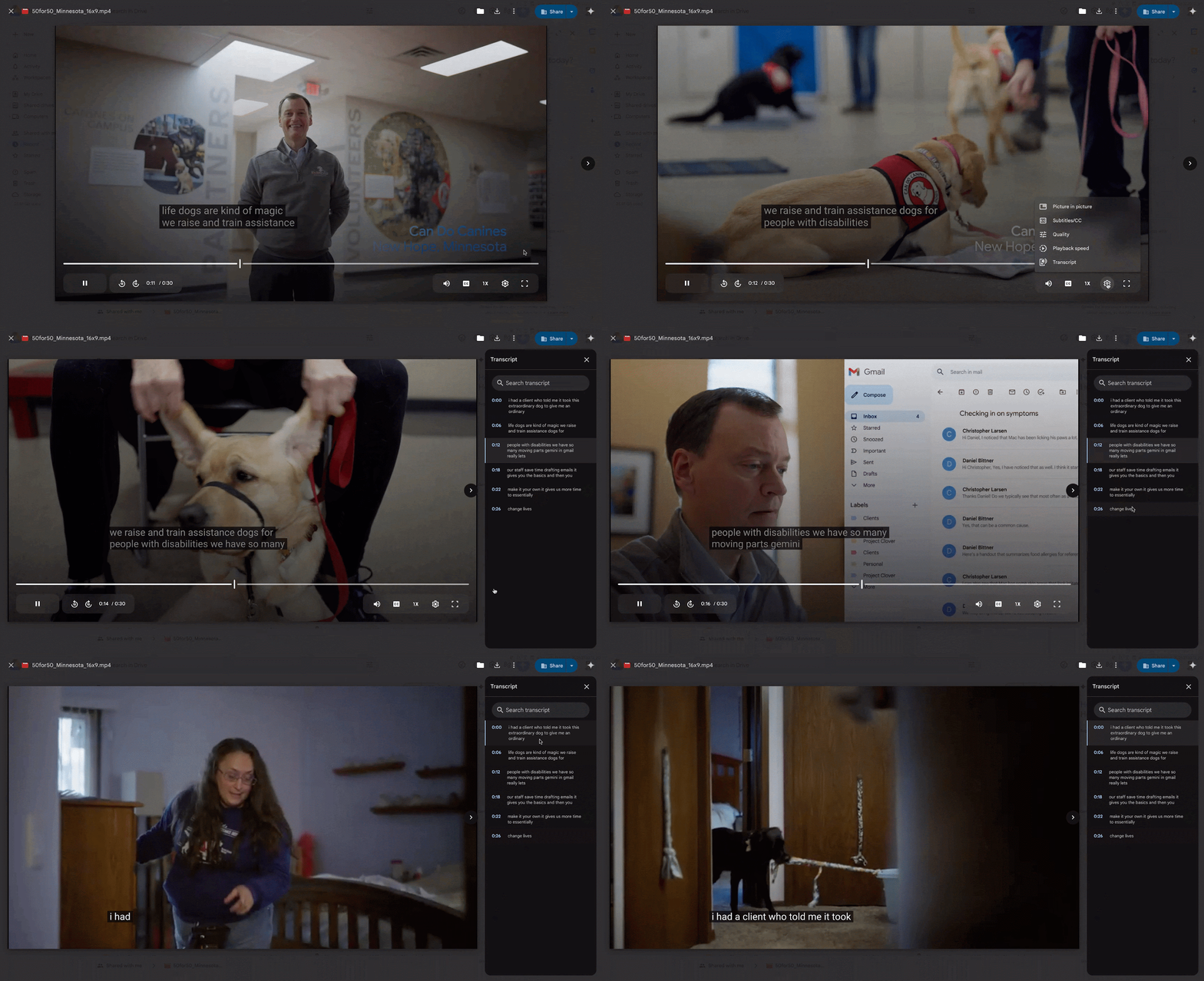
Google Drive searchable video transcripts. | Video credit — Google
Users can enjoy this new functionality across all Google Workspace plans, including Google Workspace Individual subscriptions and personal Google accounts. To use the transcript feature, videos must have captions, which can be generated automatically by right-clicking on the video in Drive and selecting "Manage caption tracks," followed by "Generate automatic captions." Users can also create captions while the video is playing by tapping the three-dot menu. Once captions are enabled, accessing the transcript involves opening the video, clicking the gear icon for settings, and choosing “Transcript.” The rollout of this feature will occur gradually, meaning some users will have early access while others may see it later.



