Apple's latest MacBook Pro lineup has captured attention for all the obvious reasons — a stunning OLED display and, for the first time ever, touchscreen support. But two quieter changes have longtime Apple fans just as excited: a noticeably lighter design and the triumphant return of the illuminated Apple logo on the lid.
Thanks to a fresh teardown from iFixit, we now know exactly how Apple pulled all of this off — and the engineering story is a fascinating one.
Let's start with the weight. The touchscreen MacBook Pro PROLED tips the scales at just 1.82kg, a significant drop from the 2.14kg of the model it replaces. The 14-inch PROLED is similarly trim at 1.38kg, compared to 1.60kg for the 14-inch M5 Pro variant. Apple achieved these savings through a series of small but meaningful cuts: the aluminum chassis sheds 92g, the entire display assembly loses 101g (remarkable, given it now includes touch functionality), the battery drops 2g, and the trackpad is 8g lighter. Altogether, that's 203 grams shaved off.
Getting inside the machine is also slightly less painful than before. iFixit notes the bottom panel is now secured by only four screws instead of eight. Unfortunately, that's where the good repair news ends. Swapping out something as simple as a USB-C port still requires pulling the entire logic board, and components like the HDMI port and SSD are soldered directly in place, making them effectively unreplaceable.
The real star of the teardown, though, is the display itself. OLED — short for organic light-emitting diode — works fundamentally differently from LCD technology. Every single pixel produces its own light, so there's no need for a separate backlight layer. Traditional LCDs rely on backlighting positioned either behind the pixels or along the panel's edges. Apple's previous mini-LED displays refined this approach by swapping larger LED "bulbs" for tiny LED "chips," dramatically boosting backlight precision and quality. But even mini-LED still depends on a backlight. OLED eliminates it entirely.
The practical payoff? Genuinely deep blacks, dramatically improved contrast, and none of the blooming or halo effects you'd see around bright objects on dark backgrounds.

 The pixel structure on the mini-LED panel, source: iFixit
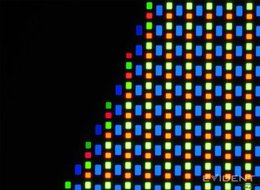
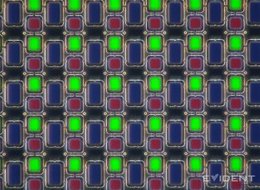 The pixel structure on the new tandem OLED panel, source: iFixit
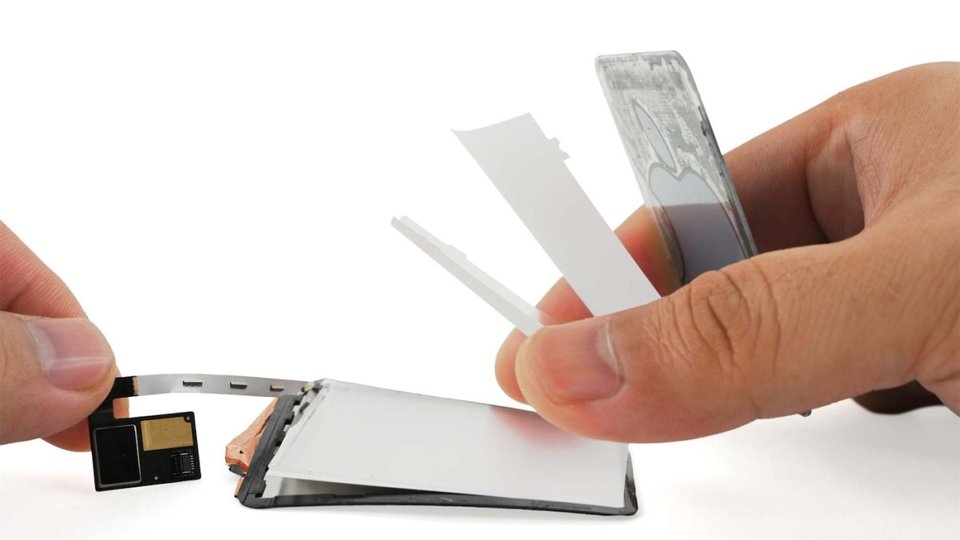
This shift in display technology created an interesting problem for Apple's design team. On older MacBooks, the glowing Apple logo on the lid was cleverly powered by the same backlight that illuminated the LCD screen — light simply passed through the logo cutout. With OLED, there's no backlight to borrow. So Apple did the only thing it could: it engineered a dedicated lighting system just for the logo. The solution uses four LEDs paired with diffusers to distribute the glow evenly across the iconic shape. The catch? The whole assembly is tucked behind the display, making it virtually impossible to service or replace.
You can watch iFixit's complete disassembly video for the full teardown experience.