Recent reports indicate that a significant bug within the Gmail app for Android devices is causing users to experience frustrating issues, including email flickering and missing texts. Users across various devices, particularly tablets and foldable phones, are looking for solutions as they await a fix from Google.
Identifying the Gmail App Bug
Many users have voiced their concerns about the Gmail app, describing their frustrating experiences. One affected user stated, 'When I open my emails on my tablet, they flicker in and out before going blank. I can read my emails on my phone with no problem.'
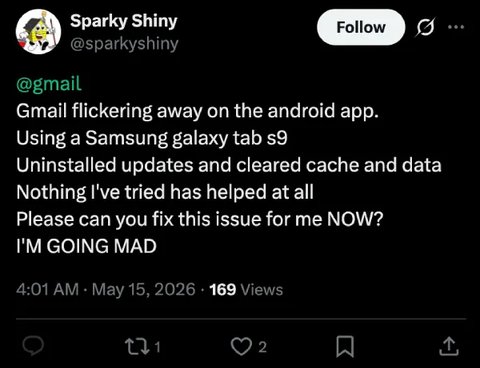
Galaxy Tab S9 users are also facing issues | Image by X
@gmail when will the Android work again on folding phones like my @SamsungMobileUS #GalaxyZFold3?? Day 4 now of this flickering issue on the inner screen is unacceptable!
Devices Affected by Gmail App Bug
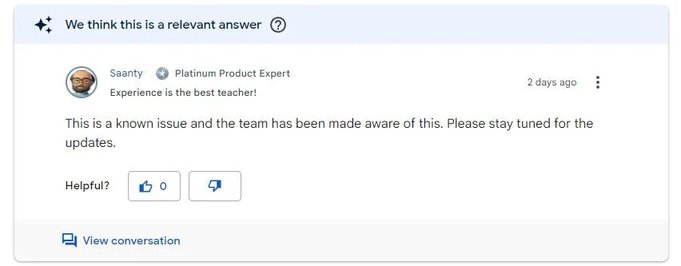
Google is reportedly working on a solution | Image by Gmail Help Center
Tips to Manage Flickering Gmail on Samsung Devices
- One potential workaround is to switch between portrait and landscape modes on your tablet or foldable device. This can be done by enabling the auto-rotate feature and physically rotating your device.
- You may also try clearing the cache for Android System WebView and uninstalling recent updates, as they might be contributing to the problem.



